
The card is generous where you spend it and silent where it charges you
 Available in US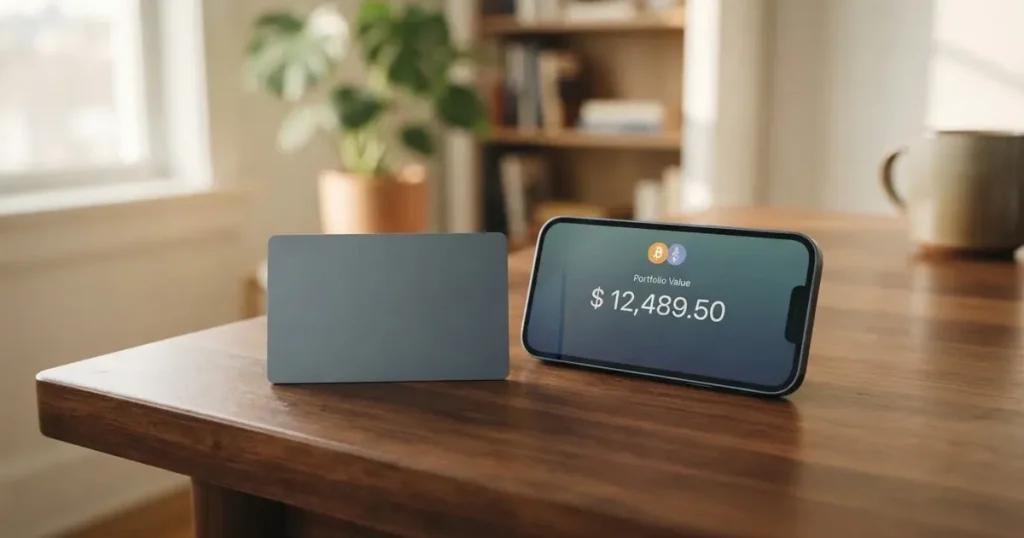
The BKJ card does two things well and one thing badly, and the bad thing is the one that ends up on your statement. Spending is easy: virtual and physical cards, Apple Pay, Google Pay, ATM access, stablecoin top-ups on the major chains and no annual fee. What you cannot do from the public pages is price a transaction. The conversion rate, the FX fee, the ATM charge, the spending limits — none of them are published. A card that is free to hold but silent about what a swipe costs is a card you have to test with small amounts, not a card you can plan a month around.
If you already hold USDT or USDC and want to turn that balance into everyday spending money without a bank in the middle, BKJ is a plausible fit. If you are picking a card by comparing fees line by line, you will not be able to. That is the whole review in one paragraph.
The conditions described here are current as of October 28, 2026.
The verdict: 6.9 out of 10
| Criterion | Mark | Why |
|---|---|---|
| Who can get it | 8 / 10 | Russia, Belarus, North Korea, Iran, Myanmar, Cuba, Syria, Ukraine including Crimea, Venezuela and mainland China are closed off per the list of 11 September 2026; the listing claims a payment network in 180+ countries |
| Cost | 4 / 10 | The physical card is 100 USDT including delivery, the annual fee is zero, but virtual card pricing, conversion fees and ATM charges are not disclosed |
| Top-up options | 9 / 10 | USDT and USDC on major chains including Ethereum and Tron, plus conversion between 40+ fiat currencies and crypto |
| Reliability and complaints | 6 / 10 | BKJ PAYMENT INC (Canada), MSB licence C10001249 (FINTRAC), issuer not named; no complaints found, few ratings in the App Store, and the terms allow service to be closed without notice |
| Everyday use | 9 / 10 | Virtual and physical cards, Apple Pay and Google Pay, ATM access on the physical card |
| Total | 6.9 / 10 | Strong on how you fund and spend, weak on how much it costs |
The pattern is worth reading twice. The two highest marks — top-ups and everyday use — are the parts BKJ describes concretely: specific coins, specific chains, specific wallets. The two middling marks are eligibility and cost, and both fail in the same way: the description is either silent or conditional. Who can get it depends on a list that the announcement itself says can change. What it costs depends on numbers nobody published.
Who this suits: someone already holding stablecoins, comfortable sending a transfer to an address and paying a network fee, who wants a card that spends that balance in shops and at terminals and does not want to think about it. The audience is stablecoin holders funding a card via Tron or Ethereum.
Who it does not suit: anyone who needs a card whose statement they can reconcile to the cent. The public pages do not disclose the conversion spread, the FX fee, ATM charges, or daily and monthly limits, and a listing phrase about saving up to 90% on fees comes with no fee schedule attached. If you spend heavily through a shop that prices in a currency other than the card’s, an unstated spread is where your money goes.
Will they give you the card
Short answer: probably, if you live in a permitted country and can pass identity verification — but BKJ does not publish a country list, so you cannot check your own eligibility from the public pages. The site and the app listing give no country list at all. What the listing does claim is a payment network in 180+ countries and regions, which is a statement about where the card works, not about who can open an account. Those are two different things and people often read them as one.
The terms do say that BKJ services are not available in Russia and Belarus, and that the other listed regions are closed as well. On 11 September 2026 the help centre published an announcement adjusting regional access permissions, and the restricted list it names runs considerably wider: North Korea, Iran, Myanmar, Cuba, Syria, Ukraine including Crimea, Venezuela, Sudan, South Sudan, Libya, Burundi, the Central African Republic, Somalia, Zimbabwe, Afghanistan, mainland China and Iraq. The same announcement says that list can change. The terms also require users to reside in a country where the services are available — residence, not citizenship, though nationality is recorded separately as part of the screening that applies to every regulated provider.
That 8 out of 10 is a fair score for a card that is broadly open and honest about its restricted list. It loses points for a different reason: the announcement tells you who is excluded but not who is included, so the only way to know is to try.
One practical consequence of living in a permitted country but holding a passport from a restricted one: nationality and residence are screened separately in this industry, and a citizen of a sanctioned country can be refused even with a clean address elsewhere. If your citizenship is not straightforward, expect to be asked more questions, not fewer.
How to get it
Three steps, and the middle one is the real work: download the app, complete registration and identity verification, then order the card. The site puts it plainly — you complete user registration and identity verification when you download the app. Which documents you need is not specified anywhere in the public material.
That verification is not optional. The terms state that identity verification (KYC) must be completed before applying for a card, and that more documents may be requested at any time. The help centre has an article titled “How to Conduct KYC Identity Verification” and another on what you can do without completing it; neither was read, so I cannot tell you the document list, the processing time, or the reasons a verification might be refused. No tiers of verification are defined in the terms either. Treat the whole question of how long it takes as open.
On the card itself, the choice is virtual or physical. The virtual card is meant for Apple Pay and online purchases; its network and currency are not stated. The physical card is a different object with a different price, and it is the one with the real logistics attached. Once it arrives you activate it with a code sent to your email, and you set a PIN and a contactless limit.
The listing and help centre mention a “BIN449924 Singapore Virtual Card”, which is the kind of detail that tells you a card programme exists in a particular issuing region but tells you nothing about the network or the currency you will be spending in. Those remain not stated.
Fees: what it really costs
Here is the honest state of the price list. Most of it is blank, and I have left the blanks visible rather than filling them with category averages.
| Fee or limit | What BKJ states |
|---|---|
| Physical card issuance | 100 USDT, covering card production and global logistics shipping; non-refundable |
| Annual fee | Zero annual fee |
| Virtual card issuance | not stated |
| Conversion fee | not stated |
| FX fee | not stated |
| ATM fee | not stated (physical card has access to the global ATM network with instant fiat withdrawals) |
| Daily limit | not stated |
| Monthly limit | not stated (a monthly limit is referenced on the physical-card application page, with no figures given) |
| Listing claim | “save up to 90% on fees”, with no fee schedule behind it |
Note the difference between the annual fee, which is stated and is zero, and the absence of tiering. The card page and help collections list no tiers at all. The physical-card application page does show a monthly limit, which tells you the concept exists and nothing about its size.
What two or three everyday payments would cost you
Since the schedule is missing, the only honest way to talk about cost is to walk through specific payments and mark which fee lands on each. You supply the rate; I can only tell you which line item is even in play.
Coffee, local currency, in person. No conversion line item if the card’s own currency matches what the till asks for, no ATM fee because there is no ATM. What you cannot check in advance is whether the card holds a balance in that currency at all, or converts on the spot at a spread nobody publishes. The home page sample transactions show USDT, USDC, VND and KRW — a hint about which balances move through the system, not a promise about your card.
An online subscription in USD. This is where the conversion question becomes unavoidable. Your balance is crypto or crypto-denominated; the merchant wants dollars. Whether that swap happens on the card page, silently in the app, or is priced into the merchant’s amount is not described. The help centre has an article called “Explanation of Deduction Amount Difference”, which sounds exactly like the thing you would need, but I did not read it and so will not pretend to summarise it. If you care about this, that article is your next click.
Cash from an ATM. The physical card gives you “access to the global ATM network with instant fiat withdrawals”. The fee for that withdrawal is not stated, nor are the limits. The ATM operator may also set its own charges on top. This is the single most likely place for a meaningful surprise on an otherwise free card.
Across all three, one line is certain and applies to every payment you make: the fees are non-refundable. And the underlying network fee for the transfer you send to fund the card is charged by the blockchain, not by BKJ — that is how on-chain funding works for everyone in this category.
The recommendation that follows is not advice, it is arithmetic. Fund the card, try one small purchase, compare what left your wallet against what the till charged, and only then scale up. With the fee schedule unpublished, your own transaction is better evidence than any summary.
How to Top up
Top-ups are the best-documented part of the card. Stablecoins — USDT and USDC are the two shown — are supported on major blockchains, explicitly including Ethereum and Tron. Beyond that, the app listing claims conversion between 40+ fiat currencies and crypto. Neither the deposit fee, the minimum top-up, nor who pays the network fee is stated. Fiat top-up options are not described on the card page at all; the 40+ figure comes from the listing, not from the card terms.
That Tron mention matters more than it looks. On Ethereum, a token standard called ERC-20 charges gas in ETH, so a wallet holding USDT and no ETH cannot send at all. On Tron, fees are paid through internal resources and often burn TRX. So the same USDT balance behaves differently depending on which network you use to move it, and the difference is felt by you, not by BKJ.
Two warnings that belong to the category, not to this card. First, transfers are irreversible. A deposit sent on a network BKJ does not support, or sent to an address belonging to a different network, can be lost or need manual support recovery with no guarantee attached. Second, not every USDC route exists everywhere: Circle stopped supporting USDC on Tron in February 2024, so “USDC over TRC20” is not a native option. Check the coin and the network against each other before you send.
If you want to know what happens to money on the way out, the honest answer is that the terms describe no withdrawal process. Section 7.2 lets BKJ set off any of your liability against your balances, and Section 9 lets BKJ terminate services without notice, with a closed user unable to open a new account again. What happens to a remaining balance on closure is not stated.
Paying with it every day
This is where the card earns its keep. You get virtual and physical cards, Apple Pay and Google Pay, and the physical card works at ATMs. The app is on iOS — 16.0 and above, also for Mac M1 and visionOS — and on Android via Google Play and an APK. The latest iOS version, 1.4.5, dates from 24 September.
The wallet point deserves a word, because it is where most card friction disappears. When you add a card to Apple Pay, the card number is replaced by a device-specific number held in the phone’s secure hardware, never on Apple’s servers, and each payment carries a one-time code. That removes the physical-card-present problem entirely for most of your spending. Google Pay works the same way in principle. Note that blocked merchant categories are not stated — so whether gambling, where the category code for betting is 7995, or other restricted merchants are declined on BKJ cards is something you can only learn by trying, and the blocked list varies by issuer across this whole category anyway.
Spending earns points, exchangeable for BTC, with a rate that is not stated. There is a US$5 sign-up reward. Points that convert into BTC are not the same as cashback in dollars, and an unstated rate means an unstated value.
Two things to keep in mind as you spend. Declined authorisations can leave a hold on your balance for several days, sometimes up to seven. And prepaid or foreign-issued cards get declined in some shops for a structural reason: the merchant can look up the issuing country from the card’s first six or eight digits, and if that country differs from your billing address, extra scrutiny follows. That is the same reason a card issued in one country looks foreign in another, and it is not a fault in your account.
One quiet data point about the app itself. The India App Store listing shows no rating at all — it has not received enough ratings or reviews to display an overview. The Google Play rating was not read. A young app with a thin public review history is not a red flag on its own, but it does mean you will be among the first users of any support channel, and that is worth weighing.
What can go wrong
Nothing bad has surfaced. I searched for complaints and found none, and there is no public pattern of failures to point at. That is genuinely good news and I want to be clear about it. It is also the situation of a young product, so absence of complaints is closer to “not yet” than to “verified”.
The risks that are visible are structural, and they come from the terms and the company details rather than from user reports.
The issuer is not named. BKJ PAYMENT INC is registered in Canada and holds MSB licence C10001249 under FINTRAC. The app developer is BKJ TECHNOLOGY LIMITED. The cards are described as “issued by partners holding appropriate licences” — without naming them. So the entity you contract with, the entity that holds the money, and the entity that actually issues the card are three different descriptions, and the public pages only fill in two of them. In this category that gap matters: the card network licenses issuers and can suspend a programme, and when programmes do close, users are typically given notice, then lose spending and loading, then have to ask for balances back.
The terms allow closure without notice. Section 9 lets BKJ terminate services without notice. The list of restricted regions that changed on 11 September 2026 is the same kind of power exercised in miniature — access changed quickly, once, in public.
The custody is custodial. The terms talk about “Custodian Account(s)” and say plainly that an Account is not a banking service. That means the provider holds the credentials to your funds and you trust it completely; if it is compromised, the network cannot reverse anything. Custodial platforms have a real history here — Mt. Gox around US$350 million reported stolen between 2011 and 2014, Coincheck about US$400 million in 2018, Ronin Network US$625 million in 2022. Stablecoins carry their own version of this: Tether says it disables tokens in wallets on sanctions lists and has frozen funds tied to illicit activity, so they are not censorship-proof either.
Disputes go to Hong Kong arbitration. The terms route disputes with BKJ to arbitration at the Hong Kong International Arbitration Centre, in English, under Hong Kong law. Chargebacks are not mentioned. For comparison, US debit card reversal rights come from Regulation E and credit card rights from Regulation Z, and prepaid-card coverage varies and should not be assumed to apply. So if a shop takes your money and does not deliver, you should not assume the mechanism that protects a normal bank customer is waiting for you here.
The safety features are described, not specified. The FAQ says BKJ employs multiple layers of security protection, and activation is verified by email code or Google Authenticator code. There is a help article on registered email and security configuration. In-app freeze, spending controls, and any insurance or safeguarding arrangement are not stated. Typical safeguards in this category are app-based two-factor authentication, instant card freeze, spending limits, 3-D Secure confirmation and tokenised mobile wallets — BKJ mentions some of these ingredients, not the menu.
Support is thin in one direction. Channels are a contact page, a Telegram community, X, WhatsApp, Instagram and LinkedIn. The help centre exists in English, Simplified Chinese and Traditional Chinese. Russian is not offered.
What to take instead
None of these are better than BKJ; they score 6.8, 6.1 and 6.0, all below it. They are here because they publish different things, and if your deciding factor is a number rather than a coin, one of these may serve you better.
Bitrefill — 6.8 / 10. This is the most transparent of the three on everyday mechanics. Virtual and physical Visa cards, with the card currency implied to be euros since crypto deposits are converted into euros. The “Buy with” list is explicit: Bitcoin, Lightning, Ethereum, USDC, USDT, Solana, Base, Polygon, Li.Finance, Apple Pay, Google Pay, Visa and MasterCard, plus SEPA transfers. Fees: a deposit spread on the crypto-to-euro conversion (percentage not stated), a SEPA pay-in fee of 1.99%, and spreads added by payment processors or ATM operators. Rewards are 2% total cashback, described as uncapped — 1% on each crypto deposit and 1% on each purchase. Card is free through the app, with an inactivity fee applying after 12 months without spending or cash-out, amount not stated. Eligibility is not a country list but “subject to eligibility criteria” with partner-verified requirements.
UPay — 6.1 / 10. Virtual and physical options, personal and business cards, payments converted to USD, EUR, AED and others. Funding is a wallet top-up in BTC, ETH or USDT, with USDC also listed. The card page says conversion may occur during the payment itself depending on the network and settlement. No cashback is stated, and no fees are stated either. The eligibility framing is the most cautious of the three: it does not serve residents of certain countries, the list may change with regulatory or issuer policy, and its KYC partner accepts only ID documents issued by the same country as the user — which is a real practical hurdle if you live in one country and hold another’s passport.
Kemy — 6.0 / 10. The one that publishes prices, and they are not small. Unlimited virtual cards at $15 issuance valid three years plus $2 per month; one physical Mastercard at $250 issuance with DHL Express included, valid three years, one per user, plus $10 per month. Virtual transaction fee is 3.5% plus $1, failed transaction $0.80. Top-up is $1.5 under $100 or 1.25% from $100 with a $5 minimum. Funding is USDT and USDC on the main networks, plus BTC, ETH and SOL via on/off ramp. Cashback is not mentioned. Eligibility is “190+ countries” with a few unspecified restrictions. One internal inconsistency: the deposit fee appears as 8% in the summary and 5% in a section — a good illustration of why you should read the detail, not the headline.
| BKJ | Bitrefill | UPay | Kemy | |
|---|---|---|---|---|
| Score | 6.9 | 6.8 | 6.1 | 6.0 |
| Card cost | 100 USDT physical, 0 annual | Free in app | not stated | $15 virtual / $250 physical, plus monthly |
| Coins named | USDT, USDC | Explicit coin list | BTC, ETH, USDT, USDC | USDT, USDC, BTC, ETH, SOL |
| Cashback | Points for BTC, rate not stated | 2%, no cap | not stated | not mentioned |
| Published fee schedule | No | Partial | No | Yes |
The pattern in that table is the argument. The one card that tells you what a transaction costs is the one most people would find too expensive at 3.5% plus $1 per transaction. The card that gives you 2% uncapped cashback publishes its SEPA fee but not its spread. And BKJ, which sits at the top of the group overall, publishes no transaction fees at all. Disclosure and value are not the same axis.
Who I would recommend it to
I would recommend BKJ to someone who has a balance already, in USDT or USDC, sitting on Tron or Ethereum, who wants it to become spending money and does not want to hold a bank account for that. The top-up story is genuinely good — major chains, two major stablecoins, a wallet integration that makes the phone the whole point. The daily-use story is good — virtual card in Apple Pay, physical card for the places that need one, no annual fee.
I would not recommend it as a first crypto card to someone who has not thought about what happens to funds when a provider closes an account or when a transfer goes to the wrong network. Not because BKJ looks worse than its peers — I found no complaints — but because the terms here are thinner than the product. No issuer named, no withdrawal process described, no limits published, no transaction fee schedule, closure possible without notice. If your money depends on predictability, this is not the card to learn on.
And the practical sequence, whatever you decide: send a small amount first, make one real purchase, and read what actually left your wallet. With the fee schedule unpublished, your own receipt is better evidence than any review — including this one.
Frequently asked questions
What is the BKJ card?
It is a payment card funded from crypto rather than from a bank account. You load it with stablecoins — USDT or USDC on major chains including Ethereum and Tron — and the balance is spent as ordinary card payments. BKJ offers a virtual card for Apple Pay and online purchases and a physical card that also works at ATMs. The physical card costs 100 USDT including shipping; the annual fee is zero.
Is BKJ a bank?
No, and its own terms say an account is not a banking service. The provider is BKJ PAYMENT INC, registered in Canada, holding MSB licence C10001249 under FINTRAC. The app developer is BKJ TECHNOLOGY LIMITED. The cards are issued by unnamed partners holding appropriate licences. So there is a custodial element: your funds sit with the provider until you spend them.
Is BKJ card available in my country?
There is no published country list, so you cannot check directly. The app listing claims a payment network in 180+ countries, which describes where the card works rather than who can register. The restricted list announced on 11 September 2026 includes Russia, Belarus, North Korea, Iran, Myanmar, Cuba, Syria, Ukraine including Crimea, Venezuela, Sudan, South Sudan, Libya, Burundi, the Central African Republic, Somalia, Zimbabwe, Afghanistan, mainland China and Iraq — and that list can change.
How do I apply for a BKJ card?
Three steps: download the app, complete user registration and identity verification, then order the card. Identity verification must be finished before you can apply for a card, and more documents may be requested at any time. The public pages do not specify which documents you need, how long verification takes, or the grounds for refusal.
Does BKJ card require KYC?
Yes. The terms state that identity verification must be completed before applying for a card. There are no defined tiers of verification. The help centre has articles on conducting KYC verification and on what functions are available without completing it, which I did not read — those are the two pages to check before you sign up if KYC is your main worry.
How much does BKJ card cost?
The physical card is 100 USDT, non-refundable, covering production and shipping, and the order cannot be cancelled after payment. The annual fee is zero. Beyond that, the virtual card fee, conversion fee, FX fee, ATM fee, and daily and monthly limits are not stated. A listing claims savings of up to 90% on fees, but no fee schedule accompanies it.
How do I top up the BKJ card?
Send USDT or USDC on a major blockchain — Ethereum and Tron are named explicitly — or use the app’s conversion between 40+ fiat currencies and crypto. Before sending, check the network twice: deposits are irreversible, and Circle stopped supporting USDC on Tron in February 2024. Network fees are charged by the blockchain, not by BKJ.
Is the BKJ card safe?
There is no public complaint history I could find, which is a point in its favour. But the terms describe custodial accounts, permit service termination without notice, route disputes to arbitration at the Hong Kong International Arbitration Centre, and do not mention chargebacks. The FAQ claims multiple layers of security; specifics like in-app freeze and spending controls are not stated.
Can I add BKJ card to Apple Wallet?
Yes — Apple Pay support is listed in the app’s release notes, alongside Google Pay. The virtual card is described as intended for Apple Pay and online purchases. When you add a card, the number is replaced by a device-specific one stored in the phone’s secure hardware, and each payment uses a one-time code.
How do I withdraw money from BKJ, or delete my account?
Neither is described in the public terms. There is no withdrawal process described, and Section 7.2 lets BKJ set off any of your liability against your balances. Section 9 allows BKJ to terminate services without notice, and a closed user may not open a new account again. What happens to a remaining balance on closure is not stated, so ask support directly before you load funds you expect to pull back.
Virtual cards – cryptocardbasics
Content created by the «cryptocardbasics» team