
A crypto card built for Ledger users, weighed against its real-world trade-offs
 Available in US
The Ledger Cl card is a debit card that lets you spend cryptocurrency from a Ledger wallet at any merchant that accepts Visa. It is provided by Baanx and designed for Ledger SAS, and it lives in the Card section of the Ledger Wallet app. In plain terms, you keep your coins in your own Ledger signer, the app converts them to fiat at the moment you tap or pay online, and the merchant is paid as if you had used an ordinary Visa. The promise is convenience without giving up self-custody, but the way the card is actually structured is more complicated than that one-line summary, and the trade-offs are worth walking through.
This review looks at the card as it stands today: which countries it serves, what the official and unofficial fees look like, how top-ups behave, and where the recurring complaints come from. The verdict below is a single number; the rest of the page explains what is behind it.
Conditions are current as of October 28, 2026.
Verdict
I would score the Ledger Cl card 5.9 out of 10. That is a middling score, and the reason is that the product does some things well and several things less well. The good parts are the country reach, the everyday usability and the fact that a free virtual card is available right inside the Ledger app. The weaker parts are a fee structure that is partly hidden behind third-party tables, recurring complaints about frozen balances and slow support, and a company structure that splits the issuer across three jurisdictions (UAB Monavate in Lithuania for the EEA, Monavate Ltd in the UK, and Cross River Bank for the US Visa debit) with no clearly published single terms document for everyone.

The card fits a specific reader: a Ledger hardware-wallet user who already holds BTC, ETH, SOL or a stablecoin, and who wants to convert and spend from a single app without setting up a separate exchange account. If that is you, the Cl card is the most direct path. If you only want a crypto card and do not care about Ledger hardware, several alternatives in the comparison later give a smoother experience. If you are choosing your first card, full stop, the Cl card is not where I would start.
The breakdown of the score:
| Criterion | Mark | Why |
|---|---|---|
| Who can get it | 7 / 10 | Available in the EEA, the UK, the US, Canada, Switzerland, Colombia, Mexico and Brazil; citizenship rules and a few large regions are not stated. |
| Cost | 5 / 10 | Official EU fee document lists €0 monthly and €0 issuance; unofficial sources disagree on a 1.75% conversion and 2% spend fee, and a €3.00 + 1.5% ATM fee. |
| Top-up options | 7 / 10 | BTC, ETH, SOL, stablecoins and more from a Ledger signer; supported networks are not named on the product page. |
| Reliability and complaints | 3 / 10 | Trustpilot around 3.5 to 3.8 from a few hundred reviews; repeated themes of account freezes, compliance reviews “up to 60+ days” and slow replies. |
| Everyday use | 8 / 10 | Free virtual card, Apple Pay and Google Pay, ATM withdrawals in local currency; physical form not officially described in the documents read. |
| Total | 5.9 / 10 | A practical card for a Ledger user, held back by hidden fees and operational complaints. |
Who will they give you the card
The card page on Ledger’s site names the available regions directly: “Currently available in the EEA, the UK, the US, Canada, Switzerland, Colombia, Mexico and Brazil.” That is a wide net, and it is one of the card’s real strengths. It also matches the issuer structure: a Lithuania-based electronic money institution for the EEA, a UK FCA-registered company for the UK, and Cross River Bank (a US FDIC member) for the US Visa debit product. The Swiss, Canadian and Latin American lines are usually served through one of those three issuers depending on residency.
What the public pages do not say is almost as important. The card page does not spell out whether eligibility is based on citizenship, residence, or both. It does not list restricted nationalities, and it does not say whether people in sanctioned jurisdictions can sign up. The Terms do confirm that the issuer verifies identity before issuing the card or opening the e-wallet (Section 4.2 of the user agreement), which is standard for any regulated e-money product, but the documents do not say what level of KYC is required or how long it takes. One unofficial source, cryptocards.so, describes the verification as needing an email, a phone number and an identity document, without proof of address or a selfie; I have not been able to confirm that from the official Ledger pages, so treat it as unofficial. The same goes for any “passes in 5 minutes” type promise you may see on affiliate sites: nothing on Ledger’s own pages commits to a specific timeframe.
The age rule is also implicit rather than spelled out. Prepaid and debit cards are usually 18-plus in both the EU and the UK, and the Cl card sits in that family; the public documents do not say so in a single sentence, but if you are under 18 you should expect to be refused.
In short, the card is open in more places than most crypto cards, and the residency rules are explained at a high level. The nationality rules, the precise KYC list and the time it takes to pass verification are not.
How to get it
The sign-up flow is built around the Ledger Wallet app, not a separate website. You install Ledger Wallet (iOS or Android), sign in with your existing Ledger account or create one, and look for the Card section. The product page describes a free virtual card as the entry product; the same page mentions a Visa debit in the US. The official documents I could check do not describe a physical card in detail, but third-party listings refer to a physical Visa, so I would expect a physical form to be offered inside the app after the virtual one is approved. Treat that as unofficial until Ledger’s own pages describe it.
What you can take from the official documents is this: the issuer will verify your identity before issuing the card or opening the e-wallet (Terms, Section 4.2). That step is mandatory, not optional, because the e-wallet is held by a regulated e-money institution and has to comply with anti-money-laundering and sanctions law. You will need a working email, a phone number and, in practice, an identity document. The official EU fee document, which is dated 3 November 2023, lists €0.00 for issuing the debit card, €5.00 for a replacement and €3.50 for cancellation. There is no published monthly maintenance fee in that document; it is also €0.00. Delivery time, in so far as it applies to a virtual card, is effectively instant once KYC clears. For a physical card, the official page does not commit to a delivery window.
Activation, in the sense of moving from “approved” to “ready to spend”, happens in the Card section of the app. You add the virtual card to Apple Pay or Google Pay if you want, top it up from your Ledger signer, and you are ready to pay. The Ledger app itself is well-regarded; an AppFollow snapshot updated 10 July 2026 shows a 4.9 average in the Brazil storefront with 564 reviews, although that is the Ledger Wallet app overall and not a CL Card-specific score.
What it really costs
The fee picture is the most confusing part of the Ledger Cl card, because the official documents and the third-party sources do not fully agree. Where the EU Fee Information Document is clear, I have used it. Where a fee is reported only by an unofficial source, I have flagged it.
Costs at a glance
| Fee or limit | Amount | Source |
|---|---|---|
| Card issuance | €0.00 | Official EU Fee Information Document, 03/11/2023 |
| Monthly maintenance | €0.00 | Official EU FID |
| Card payment in pounds | €0.00 | Official EU FID |
| Foreign-currency card payment | €0.00 + 0% of transaction value | Official EU FID |
| Replacement card | €5.00 | Official EU FID |
| Card cancellation | €3.50 | Official EU FID |
| ATM withdrawal in euro / domestic | €2.50 per withdrawal | Official EU FID |
| ATM withdrawal in foreign currency | €3.00 + 1.5% of transaction value | Official EU FID |
| ATM balance enquiry | €0.35 | Official EU FID |
| Top-up fee | not stated on product page; EU FID lists none | Official |
| FX fee | FX free per third-party table; US fee document not read | UNOFFICIAL |
| Conversion / spend fee | 1.75% conversion + 2% spend fee cited in one unofficial source; Reddit comments mention 2% spend | UNOFFICIAL |
| Daily spend limit | $15,000 | UNOFFICIAL |
| Monthly spend limit | unlimited | UNOFFICIAL |
| ATM withdrawal limit | $2,000 | UNOFFICIAL |
| Card currency | not stated | — |
The point of laying the table out like this is that the official line, in the EU at least, is a card that costs nothing to hold and nothing to spend in a foreign currency, with the only meaningful charge being the ATM fee. If that were the whole story, the score for cost would be much higher. The reason it is not is that several unofficial sources describe a 1.75% conversion fee plus a 2% spending fee, and a 2% spending fee is mentioned in Reddit threads about the card. None of those numbers is in the official EU document I have, and the US Customer Fees document was not available to me, so I cannot confirm them either way. The honest read is: the EU customer almost certainly pays the official schedule, while the US customer may pay a different schedule that includes a conversion or spend fee, and that schedule is not publicly mirrored on the official site.
Three everyday payments to make this concrete. First, paying €30 for lunch in Berlin with a euro balance on the card: the EU FID says €0.00 + 0%, so the cost is the cost of the lunch. Second, paying the same €30 from a USDC balance in your Ledger signer: the conversion will be made by the card programme at the time of purchase, and a conversion fee of either 0% (per the official document) or 1.75% to 2% (per unofficial sources) will apply. The exact number depends on the schedule that applies to your region, and you should confirm it in the app before relying on it. Third, withdrawing €200 from an ATM in Spain: the official fee is €2.50 per domestic withdrawal, so the cash costs you €202.50 before any foreign-exchange margin applied by the ATM operator. A €200 withdrawal in a non-euro country would cost €3.00 + 1.5% = €6.00 on top of the cash.
A small thing worth flagging: there is no inactivity fee in the official EU document, but the UK terms (Monavate Ltd) do describe a maintenance fee that starts being deducted 12 months after the agreement ends if funds remain, so leaving a balance on a closed account is not free.
Top up
Topping up the card is the part of the flow that interacts with crypto, and it is also where most of the on-chain risk lives. The product page is unusually brief here: the card accepts “BTC, ETH, SOL, stablecoins and more” from a Ledger signer via the Ledger Wallet app, and a credit line with rates “starting at 0%” depending on country is mentioned but not detailed.
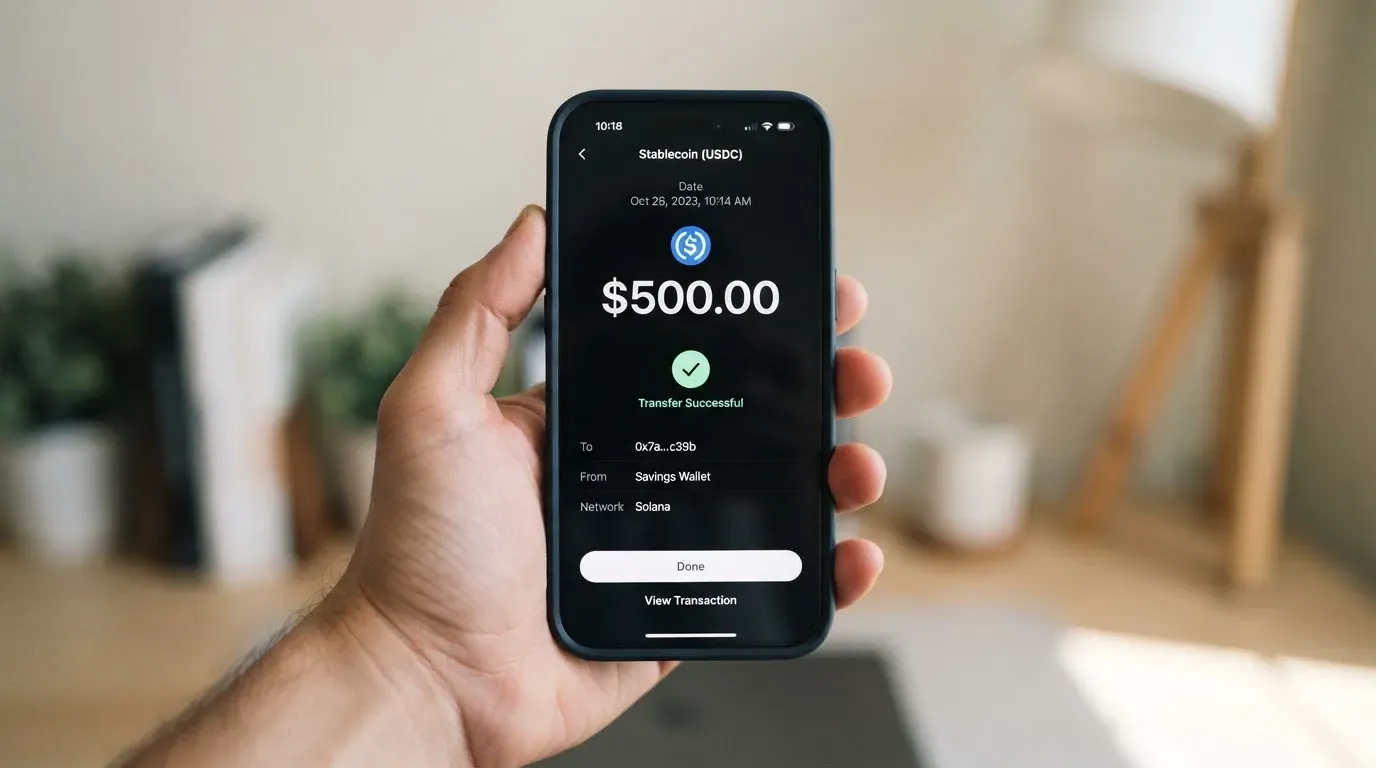
What is not on the product page matters. The supported networks are not named. The minimum top-up amount is not stated. The top-up fee is not stated on the product page; the EU Fee Information Document lists no load fee for cards. None of that means there is a fee, but it does mean that a user who wants to plan their costs has to confirm in the app at the moment of top-up.
For a Ledger user, the practical flow is: open the Card section in Ledger Wallet, choose the asset, sign the transfer on the Ledger device, and wait for the balance to land. With Bitcoin and Ethereum mainnet, the deposit is subject to the network’s own gas fees, and these are charged by the blockchain, not by Ledger. With stablecoins, the choice of network becomes a real decision. The same USDC can be sent over Ethereum, Solana, Base, Polygon, Arbitrum or a number of other chains; if you send on a chain the card programme does not support, the deposit can be lost or stranded because blockchain transfers are irreversible. Until Ledger names the supported chains in writing, the only safe approach is to test with a small amount first or to mirror the network that the app shows for the deposit address.
The Terms also allow the issuer to set limits on loading the e-wallet and on payments “from time to time”, without naming amounts. That is normal for a regulated e-money product, but it does mean the limits you see in the app today may not be the limits you see next month.
Paying with it every day
Once the card is loaded, the everyday experience is meant to be ordinary. The card is accepted anywhere Visa is accepted, including online checkout and contactless in store. Apple Pay and Google Pay are supported, and the virtual card is free, so most users will add it to a phone wallet rather than carry a plastic card. The Terms (Monavate Ltd) describe the conversion path clearly: at the time of purchase, crypto in the card balance is converted to the payment currency, and if the balance in the payment currency is missing, another currency balance is converted using a rate and fee set by the issuer.
The Ledger Wallet app is where you manage the card: view balance, see transactions, freeze the card, and adjust spending controls if those controls are exposed. The official pages do not state which spending controls are available, so the safest assumption is that basic on/off and PIN management are there, while per-merchant or per-category limits are not confirmed.
There are a few things the public pages do not say that are worth knowing. Blocked merchant categories are not listed; that is, the card page does not say whether gambling, cryptocurrency purchases or other high-risk MCCs are declined. Chargeback rights exist: the Terms say the issuer will refund unauthorised or incorrectly executed transactions on request, with the standard exception for fraud or gross negligence, and a one-month reporting window. Card-network chargeback procedures and timelines are not stated. Declines, in line with any Visa card, can leave a hold on the balance for several days.
One of the quiet strengths is the rewards line. The card pays 1% on total monthly spend, in BTC or USDC for US cardholders and BTC or USDT for everyone else. That is a modest cashback by mainstream-card standards and a competitive one by crypto-card standards, but it is paid on the euro or dollar value of the spend, not on the underlying crypto, so the rewards are a function of how much you actually spend in fiat.
What can go wrong
Two things tend to go wrong with the Ledger Cl card: the fee you expected to pay is not the fee you actually paid, and the balance you loaded is harder to get back than you expected. Both are visible in user reports.
Trustpilot for the CL Card sits around 3.5 to 3.8 from a few hundred reviews at the time of checking. The company responds to roughly 41 to 69% of negative reviews, and the responses tend to come four to six days apart, which is slow for a payment product. Recurring themes are: card declines with no obvious cause, frozen balances pending compliance review (with users reporting waits of 60 days and more), funds blocked, and customer support passing the user between Ledger and Baanx. ID verification failures are mentioned, and phishing emails pretending to be from the card are reported by cryptocards.so in 2026. None of this is unique to Ledger Cl; most crypto cards with similar structures attract similar complaints. What is unusual is the volume of “balance frozen” stories relative to a relatively small review base.
There is a second, more worrying thread. In late 2025 and 2026, an aggregator claim circulated that Baanx or Monavate had become insolvent. I could not confirm this from a second reliable source, and the official Ledger pages do not report an incident, so I am treating it as unverified. That said, the underlying risk is real: the card is custodial. Funds you have loaded sit in an e-wallet held by the issuer, not in your Ledger signer. The Terms explicitly say UK customer funds are not protected by the FSCS (the Financial Services Compensation Scheme), and that they are instead safeguarded under the Electronic Money Regulations 2011. EU e-money funds are similarly safeguarded rather than insured. Safeguarding means the funds are kept segregated from the issuer’s own money, not that they are guaranteed to be returned if the issuer fails.
There are also general risks to keep in mind, not specific to Ledger Cl. Cryptocurrency transfers are irreversible, so a deposit sent on a wrong network, or to an address that has been swapped by clipboard malware, can be lost with no chargeback option. Stablecoins are not risk-free either: Tether and Circle can freeze funds tied to addresses on sanctions lists, and stablecoins have depegged in the past (TerraUSD in May 2022, USDC briefly in March 2023 during the US banking stress). And although Visa and Mastercard do not issue crypto cards themselves, they can suspend a card programme: Visa terminated its global agreements with FTX in November 2022, and the FTX US debit card was wound down by its issuer. The WaveCrest suspensions in 2018 closed a long list of European crypto Visa programmes at short notice.
What to take instead
If the Ledger Cl card does not quite fit, the comparison below is meant to help. Each alternative is a crypto card with a similar shape: app-based, self-custody or hybrid, Mastercard or Visa. None of these is a recommendation; the point is to lay them next to Ledger Cl so you can see where the trade-offs go.
| Card | Score | Card type | Annual / monthly cost | Where it works | Funding | Rewards |
|---|---|---|---|---|---|---|
| Ledger Cl | 5.9 / 10 | Virtual free, physical unofficial | €0 monthly, €0 issuance (EU) | EEA, UK, US, Canada, Switzerland, Colombia, Mexico, Brazil | BTC, ETH, SOL, stablecoins from Ledger signer | 1% in BTC or USDC/USDT |
| MetaMask Card | 7.1 / 10 | Mastercard, Virtual free, Metal $199/year | Virtual free, Metal $199/year | 45 listed countries, others waitlist | Wallet on Linea, Base, Monad, Solana | 1% (Virtual) / 3% capped at $10k then 1% (Metal) in mUSD |
| KAST | 6.1 / 10 | Visa Standard/Premium/Private, virtual and physical | Standard $0, Premium $1,000/year, Private $10,000/year | Residence-based list at KYC | USDT, USDC, PYUSD, RLUSD on multiple networks | 1.5% to 3% in USD plus KAST Points |
| Zeal | 6.1 / 10 | Visa, virtual, addable to Apple Pay | not stated | Spend in 150+ countries; programme live in EU, UK, Brazil, Colombia, Mexico, Japan, Singapore, Philippines, Indonesia, Thailand | EUR/USD/GBP balances in card Safe (Gnosis Chain, Celo) | up to 4% in GNO |
A few words on each, in case the table is not enough. The MetaMask Card is the most direct competitor in the self-custody space: it spends directly from a connected wallet, has a free virtual tier, and offers a meaningful cashback on the paid Metal tier. Its limits are regional (the US and UK sign-ups were temporarily closed in the FAQ I read) and its 3% Metal cashback drops to 1% after the first $10,000 of spend. KAST is broader on the membership side, with three tiers and up to 40,000 USD a month of 3% cashback at the top end, but it gates the best rates behind a $10,000 annual fee, and its country availability is shown only at the KYC step. Zeal is the lightweight option: a Visa with no extra FX fee and a card Safe that holds EUR, USD and GBP stablecoin balances; its weak spot is that the public fee schedule is thin, so the actual all-in cost is hard to predict.
If you came to this page for a Ledger-native card, the only card that works directly with the Ledger signer is the Ledger Cl card, and that integration is its real value. If the integration is not the deciding factor, MetaMask and Zeal are both worth a closer look.
Who I would recommend it to
The card suits a specific kind of reader, and it does not suit several others. I would recommend the Ledger Cl card to:
- A Ledger hardware-wallet user who already holds BTC, ETH, SOL or a stablecoin and wants a single app for custody and spending. The integration is the reason to choose this card over the alternatives.
- A resident of one of the eight listed regions who can pass standard KYC with an email, a phone number and an identity document. The verification is mandatory and not instant, and the documents do not commit to a specific timeframe.
- A cardholder who is happy with a free virtual card added to Apple Pay or Google Pay, and who does not need a metal or premium tier. The Cl card is single-product, and the on-fee profile in the official EU document is competitive.
- A user who understands that the balance they load is held by an e-money issuer, not in their Ledger, and who plans top-ups rather than parking a long-term balance on the card.
I would not recommend it to:
- A user who is not in a listed region or whose citizenship status is unclear. The card page does not say what happens at the intersection of residence and nationality, and the only safe answer is to assume refusal until confirmed.
- A user who needs a fully self-custody model. The card is custodial at the point of spending. The Ledger signer is recommended but not required.
- A user who needs predictable US pricing. The US Customer Fees document was not available to me, and third-party sources report a 1.75% conversion and 2% spend fee that I could not confirm from the official site. Until that schedule is published, the all-in cost in the US is uncertain.
- A user who is unwilling to live with the operational risk. The Trustpilot themes of frozen balances and 60-plus-day compliance reviews are not a one-off; they are the pattern.
If you fall in between, the safest test is to load a small amount, make a few small purchases, withdraw a small amount from an ATM, and only scale up once you have seen the receipts and the response time from support.
Frequently asked questions
What is the Ledger Cl card?
The Ledger Cl card is a Visa debit card that lets you spend cryptocurrency held in a Ledger wallet at any merchant that accepts Visa. The card is provided by Baanx and designed for Ledger SAS, and it is managed from the Card section of the Ledger Wallet app. Crypto is converted to fiat at the moment of payment, and the merchant sees an ordinary Visa transaction.
Is the Ledger Cl card a bank account?
No. The card sits on top of an e-wallet issued by a regulated e-money institution (UAB Monavate in the EEA, Monavate Ltd in the UK, Cross River Bank in the US). It is a payment product, not a bank account, and the funds are safeguarded under electronic money regulations rather than covered by a deposit guarantee scheme such as the UK’s FSCS.
How do I get the Ledger Cl card?
You sign up in the Ledger Wallet app, complete the issuer’s identity verification, and a free virtual card is issued. A physical form is referenced by third-party listings but is not described in detail on the official product pages I could check. Treat any claim about a physical card as unofficial until Ledger’s own pages confirm it.
Does the Ledger Cl card require KYC?
Yes. The Terms require the issuer to verify identity before issuing the card or opening the e-wallet. The official documents do not list the specific documents, processing time or rejection criteria. One third-party source describes the check as email, phone and identity document only, with no proof of address or selfie, but that is unofficial and not confirmed by Ledger’s own pages.
How do I top up the Ledger Cl card?
You open the Card section in Ledger Wallet, choose an asset from your Ledger signer, and sign the transfer on the device. The product page lists BTC, ETH, SOL, stablecoins and more, and the EU Fee Information Document lists no load fee. The supported networks, the minimum top-up amount and the top-up fee are not stated on the product page, so confirm in the app before sending.
Is the Ledger Cl card free?
The official EU fee document lists €0.00 for issuance and €0.00 for monthly maintenance. Third-party sources describe a 1.75% conversion fee and a 2% spend fee that are not in that document and that I could not confirm against the official US fee schedule. The safest reading is that the card is free to hold in the EU and that spending and conversion fees depend on the schedule that applies to your region.
Where can I use the Ledger Cl card?
Anywhere Visa is accepted: online checkout, in-store contactless, and at ATMs worldwide. Apple Pay and Google Pay are supported, and the virtual card is free, so most users add it to a phone wallet. The card is currently issued in the EEA, the UK, the US, Canada, Switzerland, Colombia, Mexico and Brazil, and spending is most reliable in those regions.
Is the Ledger Cl card safe?
The card uses standard safeguards for a regulated e-money product: the issuer verifies your identity, the funds are segregated from the issuer’s own money under electronic money regulations, and the Ledger app supports 2FA and an in-app freeze. The risk to weigh is that the balance is custodial, not insured like a bank deposit, and that recurring user reports describe frozen balances and slow support during compliance reviews.
What happens to my balance if the card programme closes?
The Terms (Monavate Ltd) say funds can be withdrawn from the e-wallet via the personal login area, less any pending transactions, that withdrawing the balance does not close the account, and that closure requires one month’s written notice and payment of relevant fees. After closure, funds can be redeemed for up to six years, and a maintenance fee starts being deducted if funds remain 12 months after the agreement ends. In a programme-wide shutdown, the issuer would normally give a notice period, stop loading, then stop spending, then ask users to withdraw their balances.
Can I delete my Ledger Cl account?
You can stop using the card, withdraw the balance and, under the UK terms, give one month’s written notice to close. The app exposes the controls you need for freezing, removing cards from wallet and contacting support at [email protected]. Closing the card does not delete your underlying Ledger account, which is separate.
Wallet cards – cryptocardbasics
Content created by the «cryptocardbasics» team