
UPay card, written down: who can get it, what it really costs, and where it falls short
 Available in US
UPay markets itself as a payment card you spend from a crypto balance, with onboarding in 180+ countries and a wallet that takes BTC, ETH, USDT and USDC. That is the bright side. The other side is what this review is built around: official pages do not publish the card’s fees, the issuer is not named, and the public review footprint is so thin that I would not call this an established product yet. I have read every official UPay page I could find, then cross-checked against third-party write-ups where the official site stayed silent, and I have marked every unofficial number as such. The bottom line sits at 6.1 out of 10, and the breakdown is below the verdict.
Conditions are current as of October 28, 2026.
Verdict
UPay scores 6.1 out of 10. The shape of that number tells the story: everyday use is genuinely strong, the geographic reach is wide, and the wallet accepts the coins most people already hold. Cost, reliability and complaint history pull the score back down, mostly because UPay itself does not publish the figures a reader needs to make a decision.

Here is the criterion-by-criterion breakdown, with the official figures where they exist and a clear “not stated” where they do not.
| Criterion | Mark | Why |
|---|---|---|
| Who can get it | 8 / 10 | The card claims support in 180+ countries and uses a Sumsub KYC flow that takes 5–10 minutes. The restricted-country list is not published, and a third-party source says “over 150 countries” instead, so I am docking for the gap between the marketing line and the public list. |
| Cost | 4 / 10 | The official UPay card page does not state any fee, monthly charge, conversion rate or ATM allowance. Unofficial third-party sources give conflicting numbers ($10 vs. $50 for a virtual card, 1%–3% top-up, 1%–1.5% FX, and figures that do not match across sites). I am scoring on what is verifiable, and the answer is: not enough. |
| Top-up options | 6 / 10 | Wallet funding is published for BTC, ETH, USDT and USDC. The networks on which those coins should be sent are not published, which is a serious omission for a card whose product is a token transfer. |
| Reliability and complaints | 4 / 10 | The operating company is UPAY TECHNOLOGY LTD in Denver. Licences claimed include MSO (Hong Kong), VASP Lithuania “In-Principle Approval” and US/Canada MSB. The issuing bank and card network are not named. The only public Trustpilot score I could verify is 3.3 from a single review, and user reports describe frozen accounts mid-transaction and false PEP flags. |
| Everyday use | 9 / 10 | Both virtual and physical cards, Apple Pay, Google Pay and Samsung Pay, plus ATM access. The card currencies listed on the official page are USD, EUR, AED and “others”. No blocked-merchant list is published. |
| Total | 6.1 / 10 | A wide-reaching card with strong mobile-wallet support, held back by missing fees, an unnamed issuer and a complaint record that is short but loud. |
Who this card suits: people who already hold BTC, ETH, USDT or USDC in a custodial wallet, want a card that works with Apple Pay or Google Pay, and live somewhere ordinary banks are slow to onboard them.
Who this card does not suit: readers who need a clearly priced card before they sign up, readers who want a named bank behind the plastic, or anyone who expects a public, accessible complaint path when verification goes wrong.
Who UPay will issue the card to
The official position is that UPay serves “180+ countries” and that residents of certain countries are not supported, with the list subject to change as regulator and issuer policies shift. The card page does not publish which countries are excluded, so the practical answer for a reader is: sign up and see. A third-party write-up (Finbold, July 2026) says “over 150 countries” and names the US, Germany, France, Argentina and Canada as examples, with availability also depending on location, eligibility and the specific product. Another third-party source (TechBullion, undated) says “at least 168 countries”. I am reporting these as unofficial, because the official page does not list them, and because the three numbers do not agree with each other.
KYC runs through Sumsub and is the only verification level described. You create an account, upload an ID document, and the check takes 5–10 minutes. The rule UPay states clearly is that the ID must be issued by the same country as the user. A Palau digital-residency ID, for example, is the document the single verified Trustpilot reviewer said was rejected. Proof of address and minimum age are not stated on the pages I read, although prepaid and debit cards in this category are typically restricted to adults. Rejection reasons and any second KYC level are not stated either.
The simplest read: UPay is willing to onboard most adults in most countries, but the country filter, the age floor and the document list are not public. If your ID is a digital-residency document rather than a passport from your country of residence, plan for the application to be refused.
How to get the UPay card
The four steps the official flow describes are: create an account and verify, choose and apply for the card, fund the wallet, spend. There is one KYC level and it is the Sumsub check above. Both virtual and physical cards are available, in personal and business variants, though the card network (Visa or Mastercard) is not named on the official page — third-party sources disagree (Visa per PayAtlas; Mastercard per Finbold; both per The Coin Republic; “Visa virtual” per cryptocards.so for the Stellar line). I would not assume either network until the wallet shows you a card image with the logo on it.
The card page lists USD, EUR, AED and “others” as settlement currencies; the marketing page says payments can be made “without the need for currency conversion”, while the same page’s disclaimer notes that conversion between digital assets and fiat may occur at the time of payment. Read those two sentences together: the card can present your balance in your local currency at the till, but a conversion from crypto to fiat is still happening in the background. The spread or fee for that conversion is not stated on the official page.
Delivery time and cost for a physical card are not stated. The card page mentions a “physical card option” and that is all the public material says.
What the UPay card really costs
This is the section where the official UPay pages have the least to say, and where a reader has the most to lose by not asking. The official card page does not publish an issuance fee, a monthly fee, a conversion fee, an FX fee, an ATM fee, or daily and monthly limits. The help centre terms page is a stub. The home page says the card can be used at ATMs, but the fee and allowance are not stated.
Because the official pages are silent on every figure a reader needs, I am going to lay out the unofficial numbers side by side so you can see exactly how much they disagree, and then explain why I am scoring “Cost” at 4 out of 10.
| Fee or limit | UPay official | Unofficial figure | Source for the unofficial figure |
|---|---|---|---|
| Virtual card, issuance | not stated | $10 (Finbold, Jul 2026) or $50 for the Stellar virtual card (cryptocards.so, undated) | Third-party reviews |
| Physical card, issuance | not stated | $100 activation for Premier/Platinum/Precious (Finbold, Jul 2026) | Third-party review |
| Monthly fee | not stated | None reported for the Stellar virtual card (cryptocards.so) | Third-party review |
| Wallet top-up (recharge) | not stated | 2% on standard virtual cards, 1% on Precious, 1% flat on Premier virtual, 1.5% on UPay Wallet transactions, 3% on the Stellar card (figures conflict) | Finbold, Jul 2026; cryptocards.so |
| Foreign-currency payments | not stated | “No FX fees” advertised by UPay; Stellar card charges 1% FX (cryptocards.so) | Marketing vs. third-party conflict |
| ATM withdrawal fee | not stated | “Usable at ATMs, no fee amount published” | The Coin Republic, Jun 2026; Hackernoon 2025 |
| ATM support on Stellar virtual | not stated | Not supported | cryptocards.so |
| Daily / monthly spend | not stated | Stellar virtual: $20,000 daily, unlimited monthly (unofficial, not confirmed by official sources); Finbold says “no limits” | Third-party conflict |
The first thing to take from that table is that the third-party numbers do not agree with each other, and the second is that the official numbers do not exist. If you are about to apply, the questions to ask UPay support in writing are: what is the issuance fee on the card tier I want, what is the monthly fee, what is the spread when I pay in a currency different from my wallet’s, what is the ATM fee, and what are my daily and monthly limits. Save the reply. If a fee is not in that reply, treat it as variable.
Three everyday payments to think through. A €40 lunch in Paris paid with a euro-denominated balance from a USDC top-up: the spread or fee on that conversion is not stated, and any ATM cashback the merchant offers is a second conversion on the same line. A $200 online purchase in US dollars from a balance funded by ETH: the official page says conversion may occur during payment, the cost of that conversion is not stated. A $100 ATM withdrawal abroad: the ATM fee, the FX fee and the per-transaction limit are all not stated, and the operator of the ATM (not UPay) may add its own surcharge on top.
How to top up the UPay card
The official home page lists BTC, ETH and USDT as the wallet’s top-up coins, and USDC appears in the supported-coins list as well. The networks on which those coins should be sent are not published, which is the most important detail in this section: for example, a USDT transfer on Ethereum and a USDT transfer on Tron are not interchangeable, and a deposit sent on the wrong network has no built-in recovery.
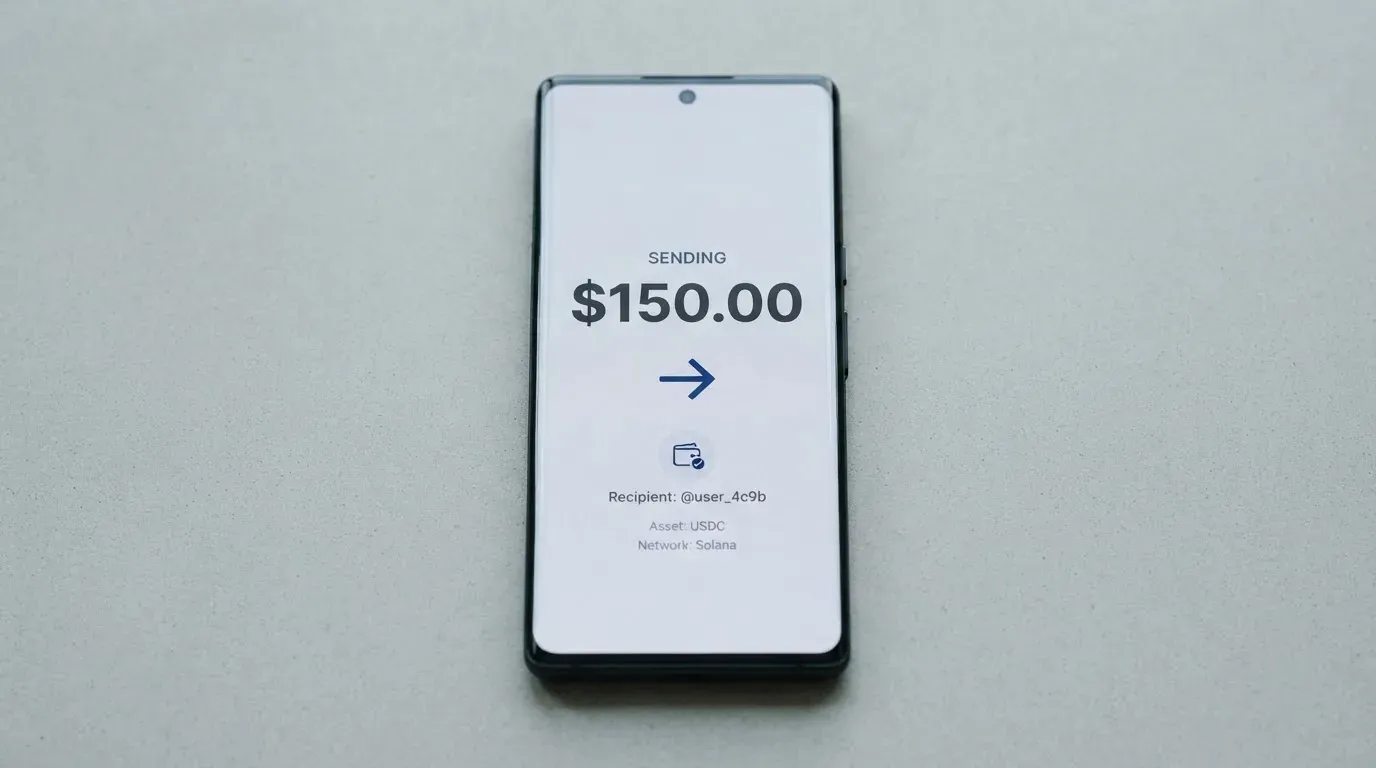
Third-party sources add some pieces. Cryptocards.so says the Stellar card supports BTC, ETH, USDT, USDC and DOGE; Finbold (July 2026) says the wallet can be topped up from a bank account or an eligible Visa or Mastercard; cryptocards.so flags that the Stellar virtual card’s top-up fee is 3% and its FX fee is 1%. None of these matches the others, and none of them is an official UPay disclosure. Networks for any of these transfers are still not published anywhere I could verify.
The minimum top-up, the maximum top-up and the time it takes a confirmed transfer to show up in the wallet are not stated. There is no public page on withdrawing a balance or closing the wallet, which is worth knowing before you put money in.
A practical rule: only send a small test transaction the first time, on the network the wallet tells you to use, and wait for it to land before you send the rest. Stablecoin transfers are not reversible, and the network cannot freeze or return funds if the address is wrong or the chain is wrong.
Paying with the UPay card every day
The day-to-day picture is the strongest part of this card. Both virtual and physical options exist, and the home page confirms that cards can be added to Apple Pay, Google Pay and Samsung Pay. ATM access is mentioned on the home page; the fee is not (see the costs section). A blocked-merchant list is not published, so categories such as gambling, dating, or adult entertainment are not addressed in public material.
There is no cashback programme described on the card page. The home page refers to an “Earn While You Sleep” product, named only as a title, with no rate or qualifying spend published. The app is linked from upay.com for both iOS and Android, and an APK is also offered. I could not find a published app rating or number of ratings. The help-centre FAQ returned a “Page error”, and the help-centre terms page is a stub — so the dispute and refund process is not described anywhere I could read. That matters, because a chargeback is the formal refund mechanism a cardholder asks their issuer to push through; if the dispute path is not published, the practical answer is “ask support and see”.
If you are using Apple Pay or Google Pay, the card number stored on the phone is a tokenised Device Account Number, not the plastic’s PAN, and the issuer can restrict that token (for example, block it for online use or for ATM withdrawals) without affecting the physical card. That is how tokenisation is supposed to work, and it is one of the few areas where UPay’s setup is unambiguous.
What can go wrong with UPay
The risk section has two layers: what UPay publishes, and what users say.
What UPay publishes. The operating company is UPAY TECHNOLOGY LTD., based in Denver, Colorado, USA (the address on the site is partly garbled). UPay claims four licences: MSO (Hong Kong), VASP “In-Principle Approval” in Lithuania, MSB in the United States and MSB in Canada. “In-Principle Approval” is not the same as a final authorisation — it means the regulator has signalled intent to authorise, subject to conditions still being met. The issuing bank and the card network are not named. The custodial model, two-factor authentication on the app, freeze controls, and how customer funds are safeguarded are not described in the pages I read.
What users report. The single verified Trustpilot review on upay.com is 3.3 out of 5 from one reviewer, who gave 2 stars and described a KYC failure with a Palau digital-residency ID. A separate Trustpilot page under a different domain (upay.best) shows 2.5 from 19 reviews; The Coin Republic (June 2026) cites 2.6 from 19 reviews for “Upay Technology Limited” and notes the domain is not the same as upay.com, which I am treating as a caution rather than a clean data point. The themes in user reports from 2026 are: false PEP flags during KYC, unsupported ID types, temporary account restrictions after deposits, Apple Pay not available in some regions or on some cards, declined transactions, delayed refunds, and unclear fees. Cryptocards.so warns of a name collision with unrelated UPay entities, which is a real risk: there is more than one company using a similar name, and readers should make sure they are on upay.com before entering any document.
There is also one structural point worth raising. A card with an unnamed issuer and a partly garbled company address is a card where, if something goes wrong, your counterparty is harder to identify than it should be. The licences UPay claims are real licences, but they are not the same as a full banking or e-money licence that would put your funds under a segregation or insurance regime, and UPay’s pages do not describe such a regime.
What to take instead of UPay
The four cards below are the alternatives I have the cleanest data on. None of them is a UPay replacement in every respect, and the comparisons below are on the dimensions a reader is most likely to weigh: who can get the card, what it costs, what you can top it up with, and whether there is a cashback incentive. The figures are the ones each provider publishes on its own pages; where a number is missing I have written “not stated” rather than guess.
Bitrefill (6.8 / 10)
Bitrefill’s card is a virtual and physical Visa, settled in euros. Country list is not stated; the terms say access is “subject to eligibility criteria” and that further requirements from partners may apply. The card page describes the card as free through the app, but the issuance and monthly fees are not stated; an inactivity fee applies after 12 months of no spending or cash-out, and the amount is not stated. Deposits carry a spread on the crypto-to-euro conversion, and SEPA pay-ins cost 1.99%; ATM operators and payment processors add their own spreads. The “Buy with” list on the card page is unusually long: Bitcoin, Lightning, Ethereum, USDC, USDT, Solana, BASE, Polygon, Li.Finance, Apple Pay, Google Pay, Visa and Mastercard. Rewards: 2% total cashback with no cap, split 1% on each crypto deposit and 1% on each purchase; the payout currency is not stated on the page.
Kemy (6.0 / 10)
Kemy says it serves 190+ countries with “a few restrictions” checked at sign-up. The product is unlimited virtual cards (Visa on the mockups) and one physical Mastercard (contactless) per user, accepted globally. Costs are explicit: virtual $15 issuance valid 3 years and $2/month; physical $250 issuance (DHL Express included) valid 3 years and $10/month. Top-up is tiered: $1.50 under $100, 1.25% from $100, with a $5 minimum on virtual and $10 on physical. Transaction fee 3.5% plus $1, failed transaction $0.80, no FX fee listed. The pricing summary shows an 8% main-account deposit fee but the section text shows 5%; the conflict is in Kemy’s own materials. Funding is USDT and USDC “on the main networks” plus BTC, ETH and SOL via an on/off ramp, with fiat through mobile money and virtual bank accounts. Cashback is not mentioned.
Tevau (6.0 / 10)
Tevau says “200+ countries” with availability that “varies by region” and lists Virtual (unofficial $20), Plastic ($100), Metal ($199) and 24K Gold ($499) cards. The monthly fee is not stated, and the page warns that fees “can differ by card type, campaign, and region”. Moving deposited USDT to the card balance costs 1%; wallet deposits are advertised as “no fee”; only an “FX rate spread for overseas spending” is mentioned and not quantified. Funding is USDT only on the version of the card described, with the network shown in the app at the moment of transfer (a wrong-network deposit is not recoverable). Cashback is not mentioned. The figures here come from a third-party information site that says it is not Tevau itself, so I am treating them as unofficial.
A wider note on alternatives
Two structural differences are worth keeping in mind when you compare any of the above to UPay. First, Bitrefill’s card publishes a cashback rate (2% in two 1% halves), while UPay and Kemy do not. Second, none of the four names publishes a full, single-page fee schedule; if a fee is important to you, ask in writing before you top up. The most common reason a card “feels expensive” in this category is not the monthly fee — it is the spread on the crypto-to-fiat conversion at the moment of payment, and that is the figure most often left out of marketing pages.
Who I would recommend UPay to
I would recommend UPay to a reader who already holds BTC, ETH, USDT or USDC in a custodial wallet, lives in a country where UPay onboards without friction, wants to add the card to Apple Pay or Google Pay, and is comfortable with a card whose fees are not published and whose issuer is not named. The everyday-use score of 9 out of 10 is real, and the 180-country reach is real, and the wallet acceptance of the four biggest coins is real. For that reader, UPay is a workable tool, provided they treat it as a spending card, not as a savings account, and they keep balances low enough that a freeze would not be catastrophic.
I would not recommend UPay to a reader who needs published fees before signing up, who expects a chargeback path to be described in the help centre, who needs the issuing bank to be named, or who plans to load a large balance and forget about it. The cost score of 4 out of 10 and the reliability score of 4 out of 10 are not a verdict against the product; they are a verdict against the product at the current state of disclosure. If UPay publishes a full fee schedule, names the issuer, and adds a public dispute path, the score goes up sharply, and the recommendation becomes straightforward. Until then, sign up with a small balance, test a payment and an ATM withdrawal, and only scale up once you have seen the fees in your own transactions.
Frequently asked questions
What is the UPay card?
The UPay card is a payment card (virtual and physical) that spends from a crypto balance held inside the UPay wallet. You top up the wallet with BTC, ETH, USDT or USDC, and the card converts that balance to fiat at the moment of payment. The card is operated by UPAY TECHNOLOGY LTD., a company registered in Denver, Colorado.
How does the UPay card work?
You create an account, complete a Sumsub KYC check (5–10 minutes, ID from the same country as the user), choose a virtual or physical card, fund the wallet with a supported coin, and then pay at any merchant that accepts the card’s network, in store, online or through Apple Pay, Google Pay or Samsung Pay. The official card page states that conversion between digital assets and fiat may occur during payment.
Is UPay a bank?
No. UPay is a payments and wallet operator, not a bank. The page claims MSO (Hong Kong), VASP Lithuania “In-Principle Approval”, and US and Canada MSB registrations. No banking or e-money licence is named, and the issuing bank behind the card is not identified on the pages I read.
Who owns UPay?
UPAY TECHNOLOGY LTD., based in Denver, Colorado, USA. The address on the site is partly garbled in the version I read, and a separate warning on a third-party aggregator notes that other companies use similar names, so check you are on upay.com before submitting documents.
Is the UPay card available in my country?
Officially, UPay says it supports 180+ countries and does not serve residents of certain countries, but it does not publish the restricted list. Third-party sources give conflicting numbers (over 150 per Finbold, July 2026; at least 168 per TechBullion, undated). The only way to be sure is to start the sign-up and see whether your country is accepted at the KYC step.
Does the UPay card require KYC?
Yes. KYC is mandatory and runs through Sumsub. You upload an ID document issued by the same country as your residence, and the check takes 5–10 minutes. Proof of address is not stated as a requirement, but rejections are not described in detail either, and a third-party reviewer reports a refusal for a Palau digital-residency ID.
How do I top up the UPay card?
The wallet accepts BTC, ETH and USDT according to the official home page, with USDC also listed. The networks on which to send those coins are not published. A third-party source (cryptocards.so) adds DOGE for the Stellar line. There is no public minimum or maximum, and the confirmation time is not stated.
Is the UPay card free?
The official card page does not publish any fee. Third-party sources give different numbers: $10 issuance for a standard virtual card and $100 activation for a physical card (Finbold, July 2026), versus $50 for a Stellar virtual card (cryptocards.so, undated). The conversion and FX fees are likewise unstated on the official page. Treat the card as not free until you have the figures in writing from UPay support.
How do I add the UPay card to Apple Wallet?
Open the Apple Wallet app on your iPhone, tap the “+” button, and follow the prompts. The card number added to the wallet is a tokenised Device Account Number, not the plastic’s PAN, and the issuer can restrict the token independently of the physical card. If Apple Pay does not appear as an option in your region or on your card tier, that is a known complaint in user reports from 2026.
Is the UPay card safe?
It depends on what you mean by safe. The card uses a Sumsub KYC flow, supports tokenised mobile wallets, and the company claims four licences. It does not name the issuer, does not describe how customer funds are safeguarded, and the public complaint footprint includes frozen accounts, false PEP flags and unclear fees. Keep balances small, enable any in-app security the wallet offers, and do not use the card as a place to store funds you cannot afford to lose.
Virtual cards – cryptocardbasics
Content created by the «cryptocardbasics» team